When you type a website address into your browser , something almost magical happens. Within seconds, your screen fills with content from servers that might be thousands of miles away.
Behind this seamless experience is a crucial system: DNS (Domain Name System) .
It’s often called the “phonebook of the internet,” but that description barely scratches the surface.
Let’s break it down and see how DNS really works.
1. Why Do We Need DNS?
On the internet, computers communicate using IP addresses such as 104.198.32.55. You can think of them as phone numbers for servers.
Humans, however, are much better at remembering names like google.com. We can’t expect users (or even systems) to memorize a string of random numbers for every service they connect to.
This is where the Domain Name System (DNS) helps. It acts as a translator between human-readable domain names and machine-friendly IP addresses .
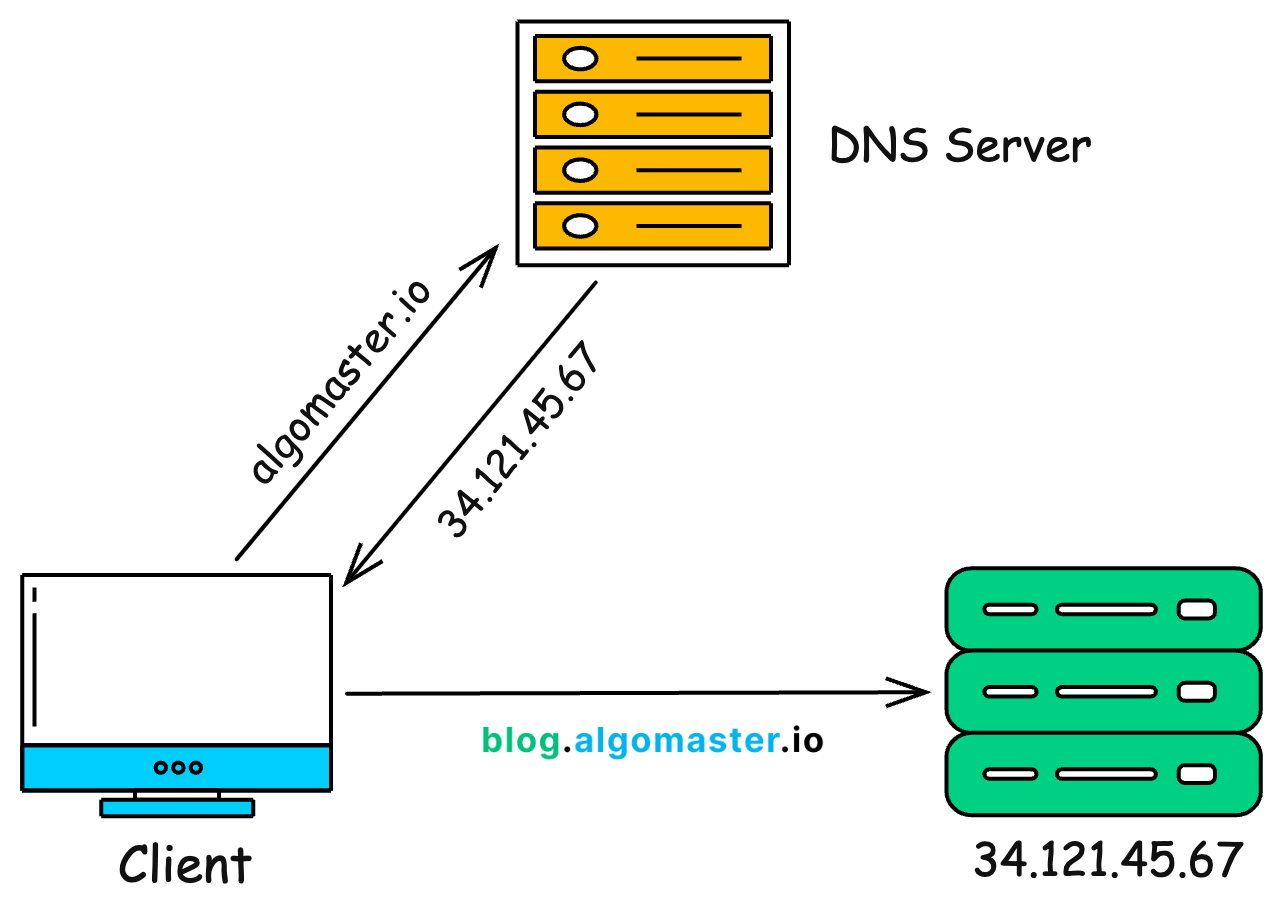
- You type a URL (algomaster.io)
- DNS maps it to the correct IP (34.121.45.67)
- Your browser connects to that IP
- You see the website
Without DNS, we would all be forced to type raw IP addresses such as 34.121.45.67 into our browsers. That would make using the internet far less convenient.
2. The Journey of a DNS Query
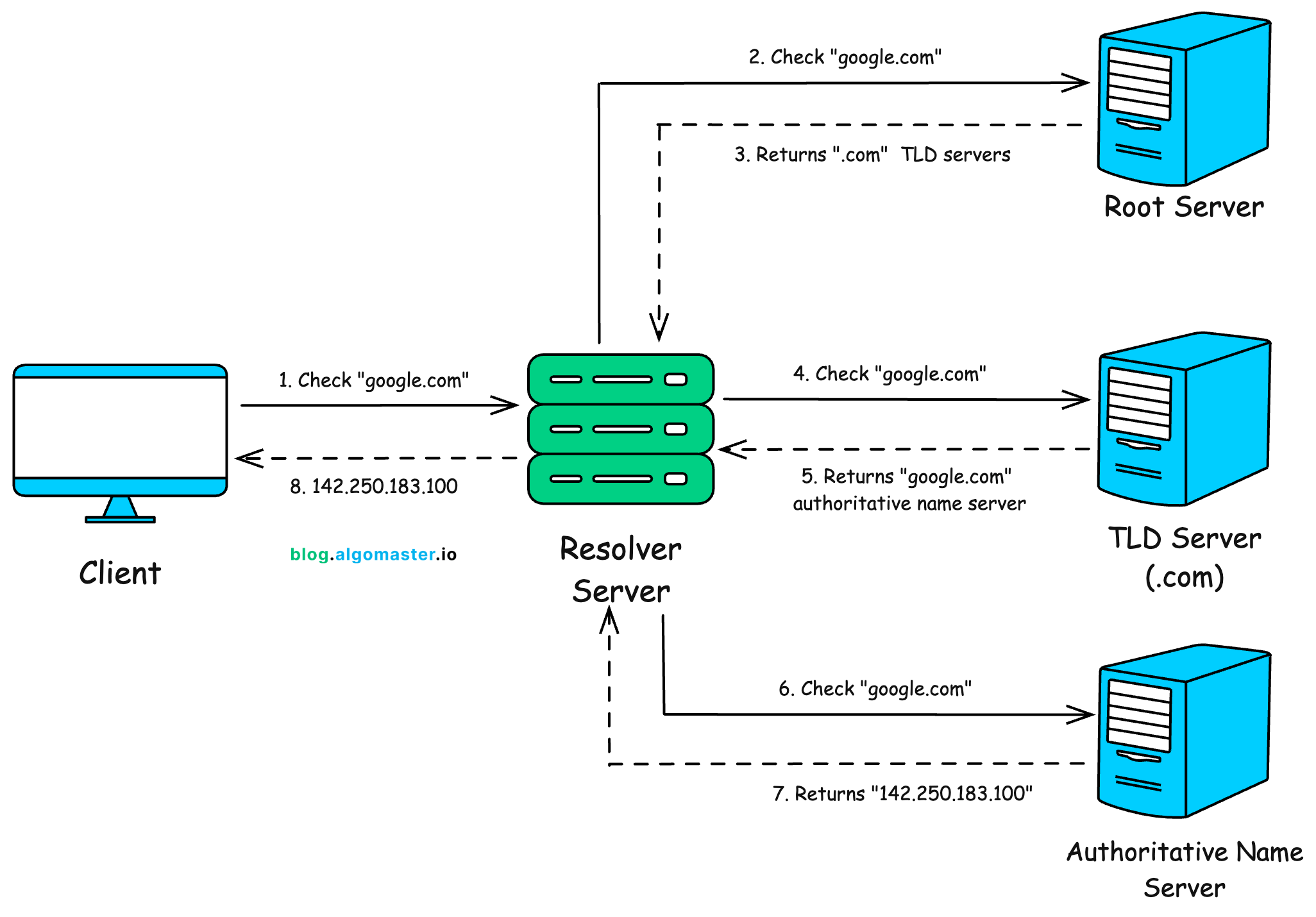
When you enter a domain name (e.g., google.com) in your browser, here’s the step-by-step journey of how that name gets resolved into an IP address:
1. The Browser Cache
The browser’s first checks is its own cache. It checks whether it has recently resolved the domain you’re trying to visit.
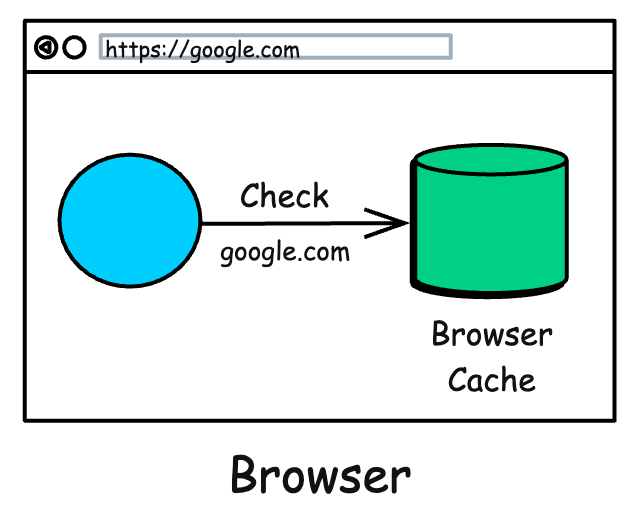
If so, it uses the cached IP directly. This is the fastest path because no extra work needed.
2. The Operating System Cache
If the browser doesn’t know, it turns to your computer’s operating system.
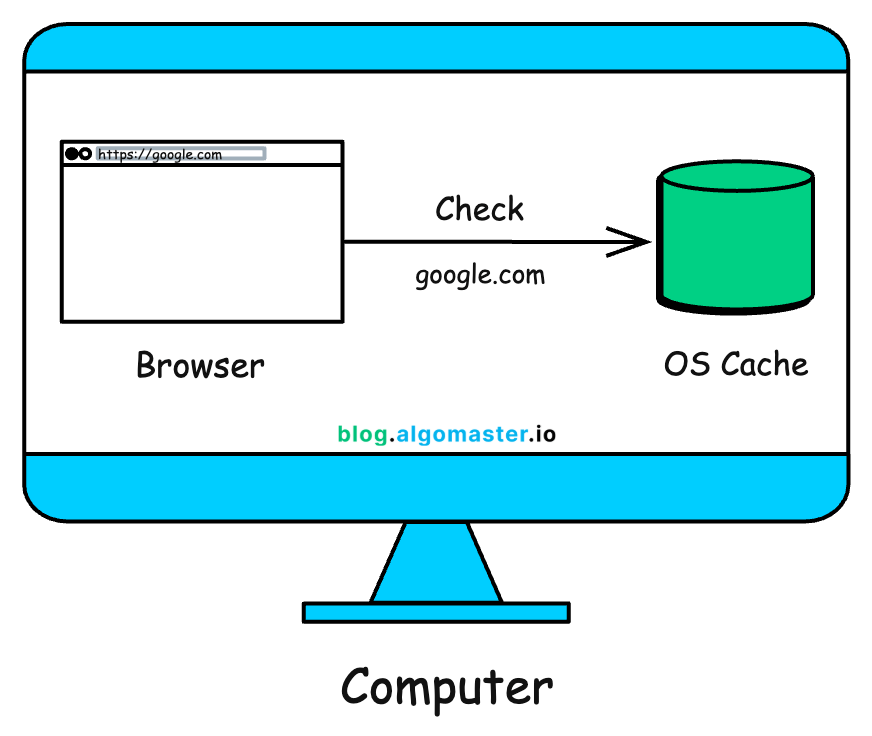
The OS maintains its own local cache of recent domain lookups, shared across applications. If the record exists here, the operating system returns the IP and the search is complete.
3. The Recursive Resolver
If the OS doesn’t have the answer, your computer sends the query to a special server called a Recursive Resolver .
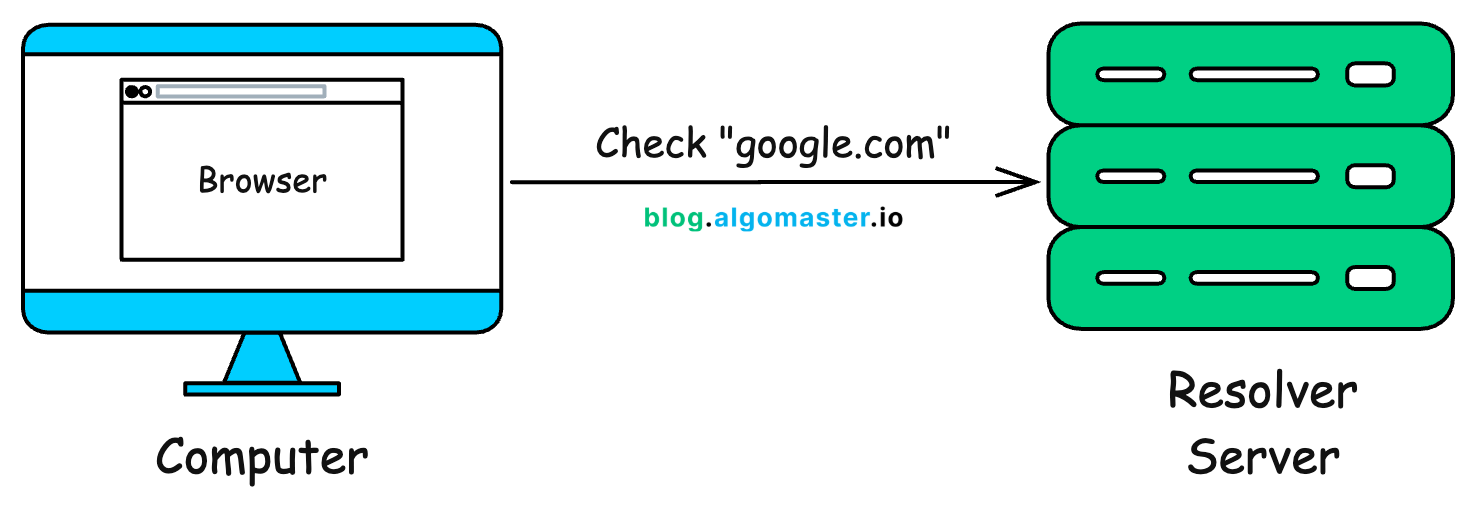
This resolver is usually operated by your Internet Service Provider (ISP) or a public DNS service like:
- Google DNS: 8.8.8.8
- Cloudflare DNS: 1.1.1.1
- OpenDNS: 208.67.222.222
The recursive resolver's job is to do all the hard work of hunting down the correct IP address for you. It won’t give up until it finds the answer or confirms the domain does not exist.
4. The Root Servers
If the resolver doesn’t already have the answer in its cache, it starts its search at the very top of the internet's hierarchy: the Root Servers .
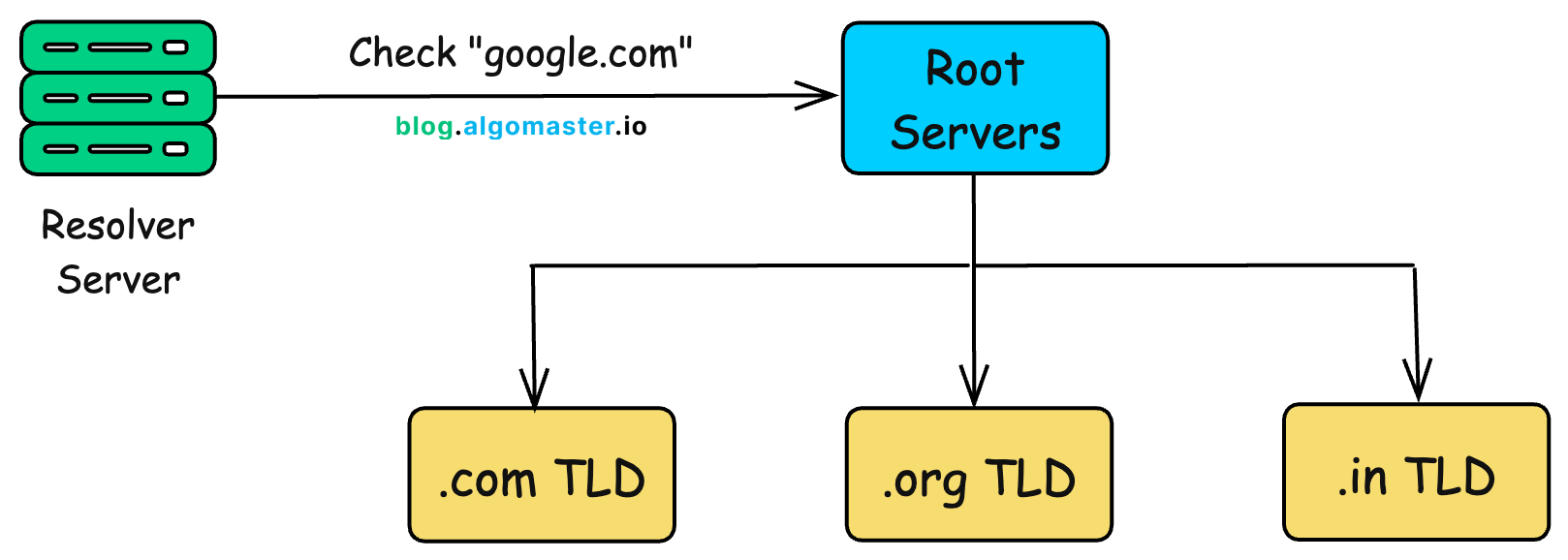
There are only 13 sets of these root servers globally (though they are replicated in hundreds of locations for reliability).
- Root servers don’t know the final IP, but they know where to look next.
- They looks at the last part of the domain (.com in google.com) and direct the resolver to the appropriate Top-Level Domain (TLD) server .
5. The TLD Servers
The resolver now talks to the TLD servers. The TLD server manages all domains ending in a specific extension, like .com, .org, .gov, .in, etc.
So, the resolver asks the .com TLD server, "Hey, where can I find information about google.com?"
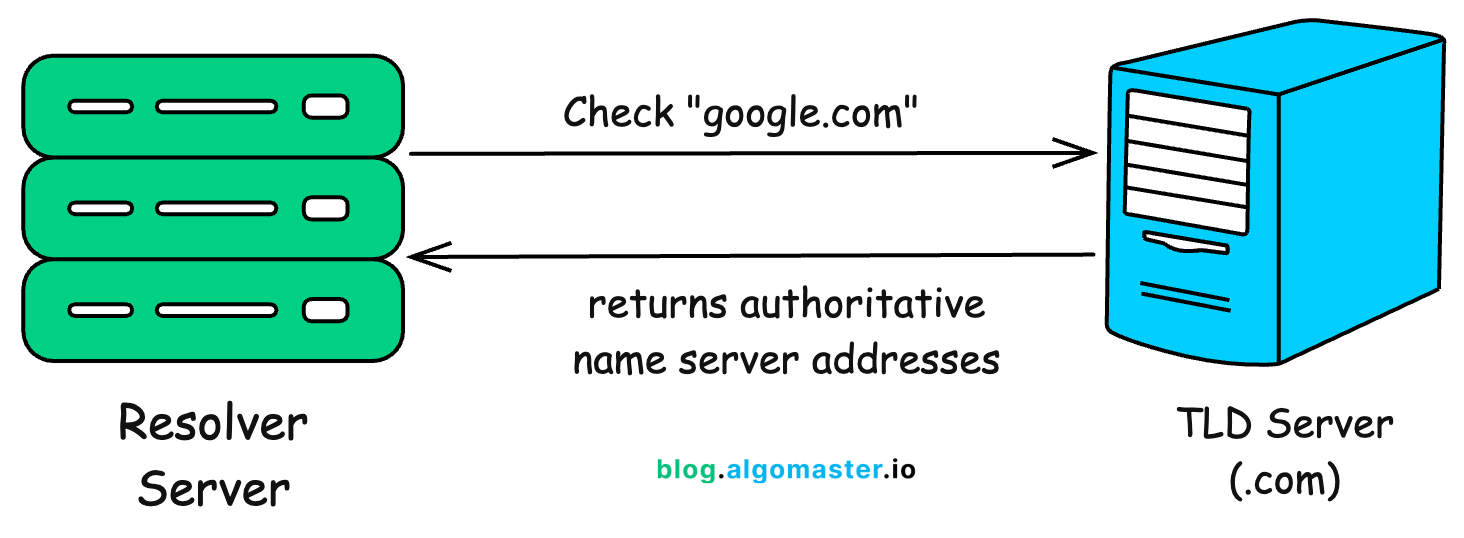
The TLD server doesn't have the final IP address either. However, it knows which server is the official record-keeper for the google.com domain. It points the resolver to that domain's Authoritative Name Server .
6. The Authoritative Name Server
Finally, the resolver contacts the authoritative name server . This server is the ultimate source of truth for a specific domain. It holds the official DNS records for google.com and knows the exact IP address.
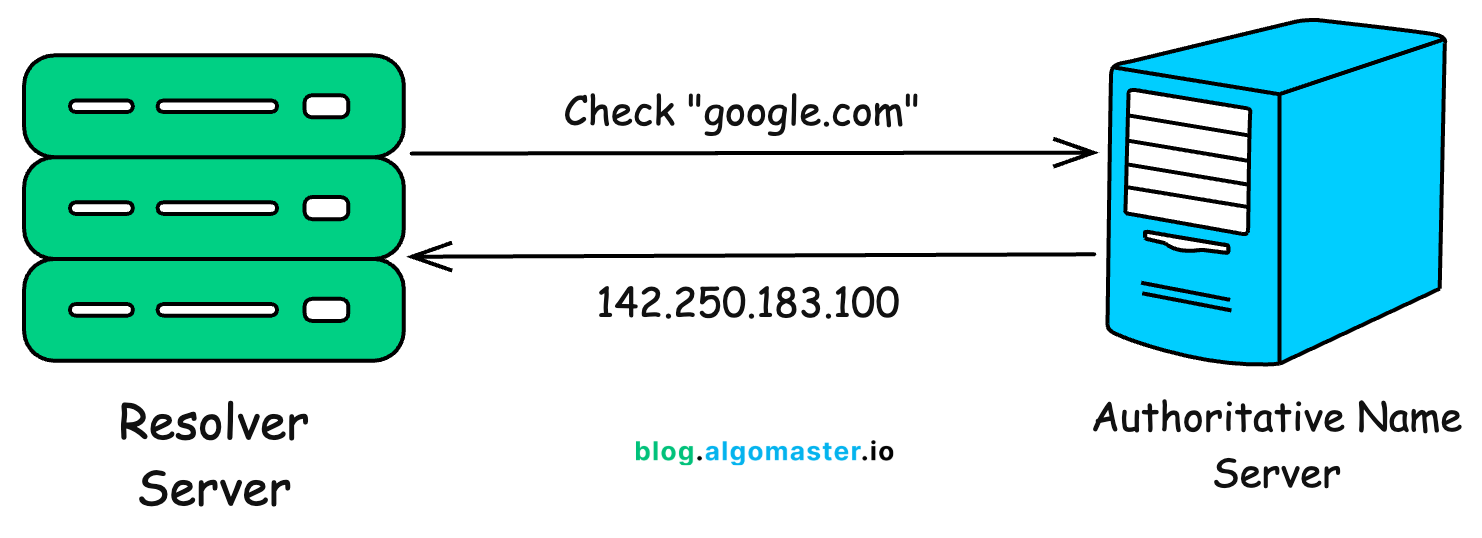
- Authoritative server responds with the correct IP address (e.g., 142.250.183.100).
- These records can include multiple IPs for load balancing and failover.
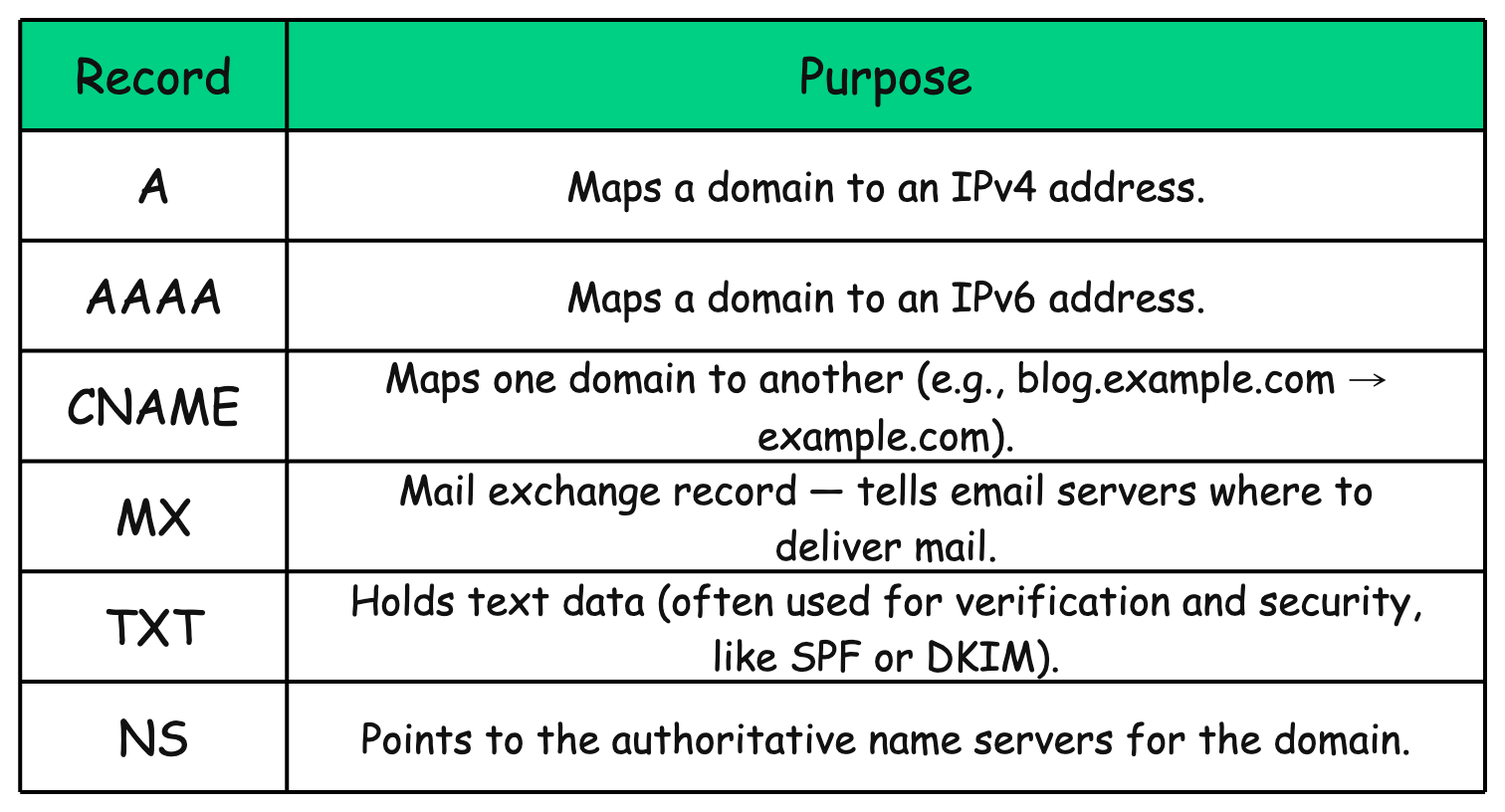
The authoritative server returns the actual A record (for IPv4) or AAAA record (for IPv6). It can also return other records depending on the query (e.g., MX for email, CNAME for aliases, TXT for verification).
7. Back to the Browser
The recursive resolver now has the IP address. It passes this information back to your computer. Your computer then caches this answer so it doesn't have to repeat the whole process next time.
Finally, your browser uses the IP address to connect to Google's server, and the webpage begins to load.
All of this happens in milliseconds.
Summary
3. Types of DNS Records
Authoritative name servers don’t just store one type of record. They store different kinds of instructions, each serving a purpose:
4. What Makes DNS Fast and Reliable?
The magic of DNS is not just in translating names to numbers but in how it does this quickly and dependably for billions of users every day.
Several design choices make DNS both fast and resilient:
1. Global Anycast Networks
Root servers and public resolvers (like Cloudflare or Google DNS) use anycast routing , which means the same IP address is advertised from many locations around the world.
- When you send a query, it automatically goes to the nearest available server.
- This reduces latency and ensures your request doesn’t have to travel halfway across the globe.
2. Redundant Authoritative Servers
Domains usually have more than one authoritative name server, spread across different regions.
- If one server fails or becomes unreachable, another can respond.
- This redundancy ensures high availability and fault tolerance.
3. GeoDNS
Some domains use geographic-based DNS responses .
- The same domain may resolve to different IP addresses depending on where the request originates.
- This can improve performance (by routing you to the closest server) or meet compliance needs (by directing you to a country-specific data center).
4. Load Balancing with DNS
DNS can return multiple IP addresses for a single domain.
- With multiple A records or CNAMEs , traffic gets distributed across several servers.
- This simple form of load balancing spreads requests and prevents any single server from being overwhelmed.
5. Content Delivery Networks (CDNs)
Many websites rely on CDNs to speed up content delivery.
- DNS queries resolve to an edge server located near the user.
- This way, static files (like images, videos, scripts) load from the closest location, reducing latency and improving user experience.
5. Final Thoughts
The next time you type a URL, remember what’s happening behind the scenes:
- Your browser first checks if it already knows the IP.
- If not, your computer passes the question along until eventually an authoritative source answers.
- Thanks to caching and a hierarchy of servers, this whole process is fast, efficient, and mostly invisible to you.
DNS is one of those quiet heroes of the internet: always working in the background, making sure humans can use names while machines use numbers. Without it, the internet as we know it simply wouldn’t exist.
Thank you so much for reading. If you found it valuable, consider subscribing for more such content every week. If you have any questions or suggestions, please email me your comments or feel free to improve it.